




Description
Plongez dans l’univers avant-gardiste d’Alessandro Di Tessari.
Un ouvrage bilingue qui redéfinit les codes du design contemporain et de la mode de luxe.
Sommaire
Une exploration avant-gardiste du design et de la mode
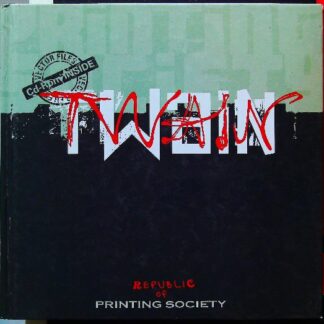
L’ouvrage Twain, conçu par Alessandro Di Tessari, s’impose comme une pièce maîtresse pour ceux qui s’intéressent aux tendances visuelles et à l’esthétique moderne. Ce livre explore les frontières entre la création de mode et le design industriel, offrant une vision transversale de la créativité. L’auteur y développe une réflexion sur les formes, les textures et l’innovation, caractéristiques des publications de haut standing. En s’appuyant sur une iconographie forte et une mise en page soignée, ce volume devient une sourceprintingsociety.com
Caractéristiques
-
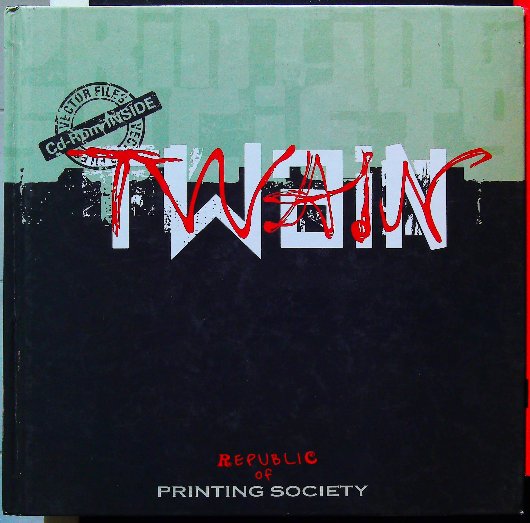
Titre : Twain
-
Auteur : Di Tessari, Alessandro
-
Format : Relié
-
Nombre de pages : 129 pages
-
Éditeur : Mode… Information Heinz Kramer
-
Date de parution : 15 février 2011
-
Langue : Anglais / Italien (Bilingue)
-
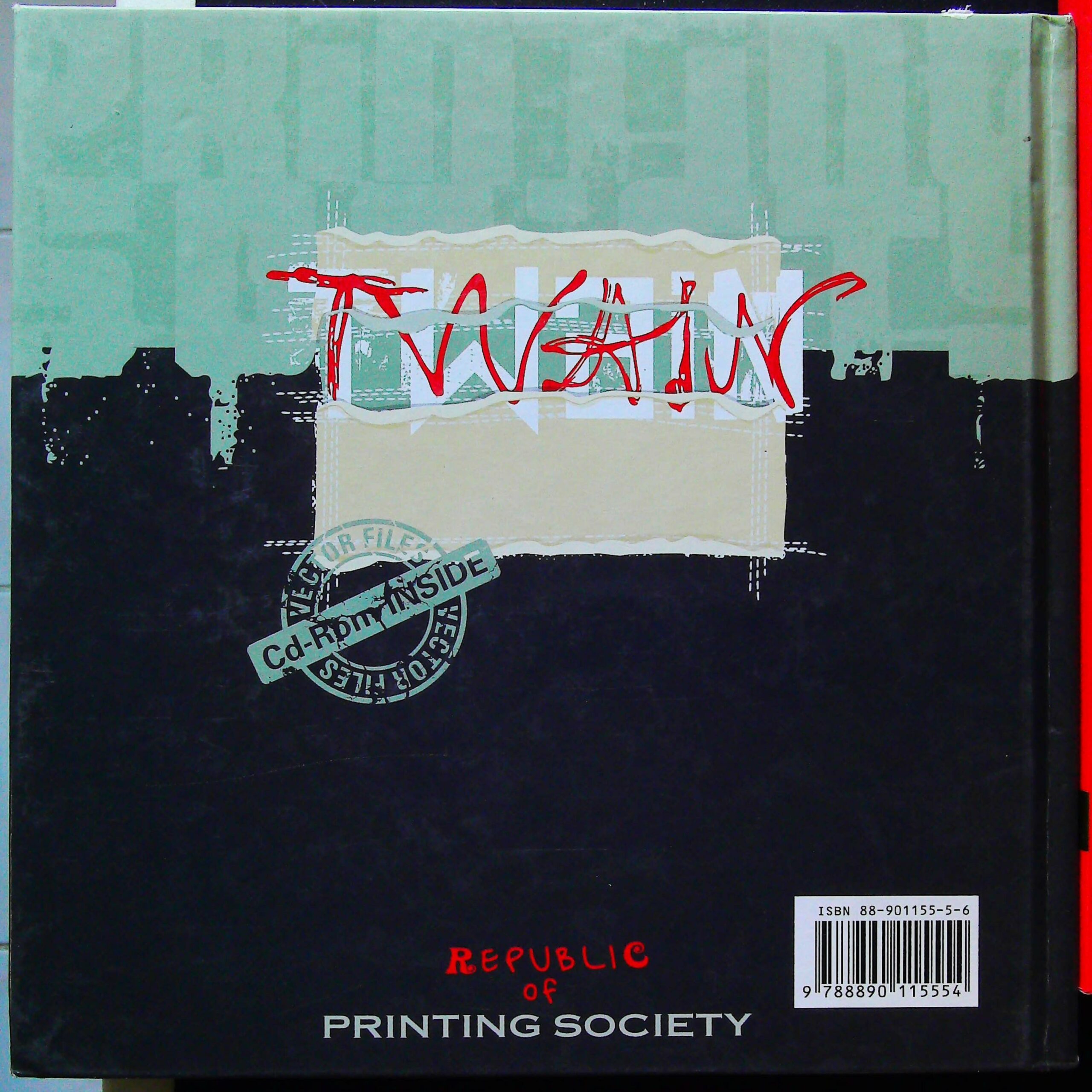
ISBN-13 : 9788890115554
Di Tessari. Alessandro
Envoi SOIGN’E ET Déposé EN 48H (JOURS OUVRABLES) Edition Mode… Information Heinz Kramer (Bilingual) 21,1 X 21,3 X 1,5 CM 129 PAGES Dépot L’EGAL:2011 Très Bon ‘ETAT
Quatrième de couverture
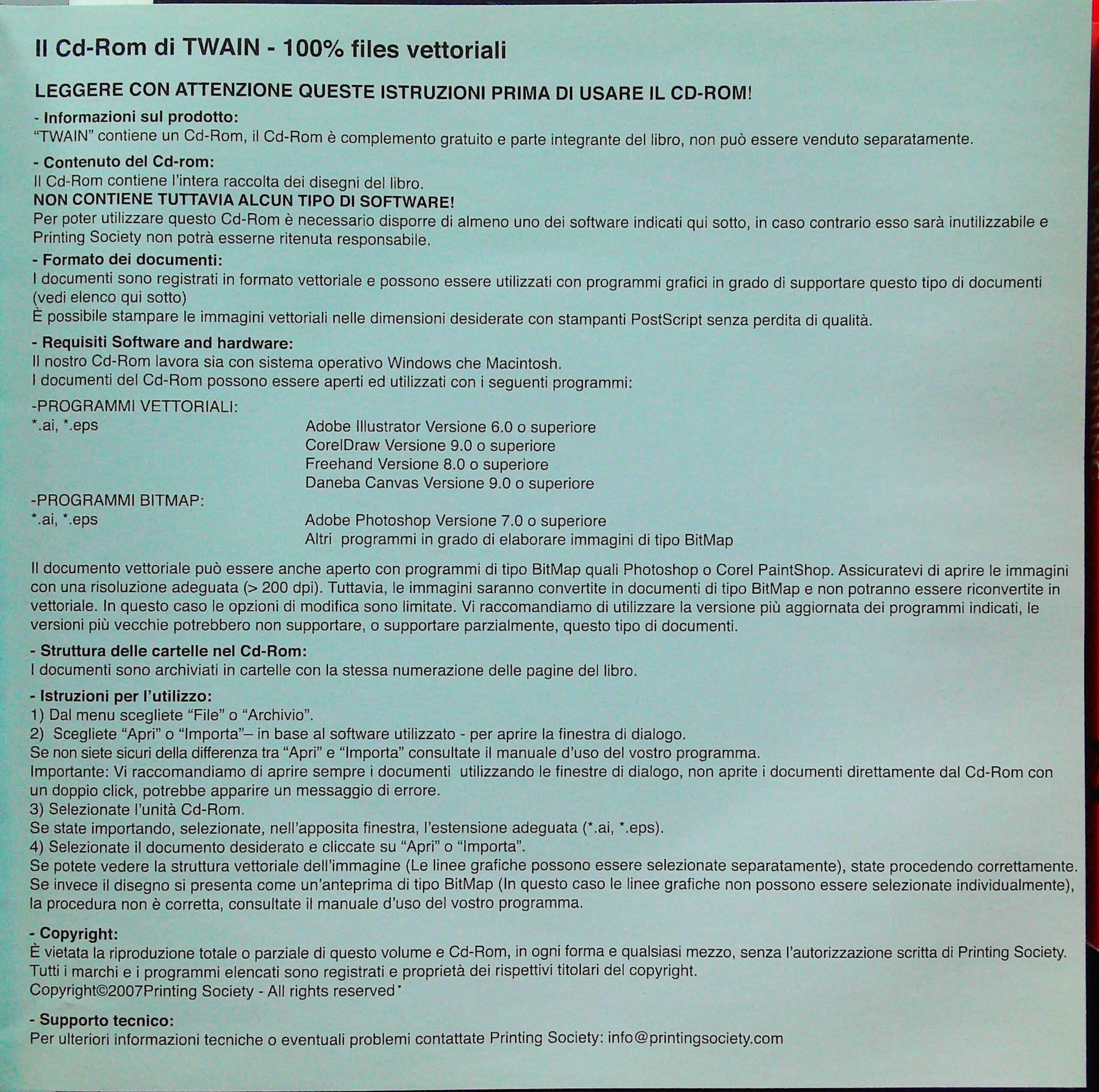
Version Italienne
**Il Cd-Rom di TWAIN – 100% files vettoriali**
**LEGGERE CON ATTENZIONE QUESTE ISTRUZIONI PRIMA DI USARE IL CD-ROM!**
– **Informazioni sul prodotto:**
“TWAIN” contiene un Cd-Rom, il Cd-Rom è complemento gratuito e parte integrante del libro, non può essere venduto separatamente.
– **Contenuto del Cd-rom:**
Il Cd-Rom contiene l’intera raccolta dei disegni del libro.
**NON CONTIENE TUTTAVIA ALCUN TIPO DI SOFTWARE!**
Per poter utilizzare questo Cd-Rom è necessario disporre di almeno uno dei software indicati qui sotto, in caso contrario esso sarà inutilizzabile e Printing Society non potrà esserne ritenuta responsabile.
– **Formato dei documenti:**
I documenti sono registrati in formato vettoriale e possono essere utilizzati con programmi grafici in grado di supportare questo tipo di documenti (vedi elenco qui sotto).
È possibile stampare le immagini vettoriali nelle dimensioni desiderate con stampanti PostScript senza perdita di qualità.
– **Requisiti Software and hardware:**
Il nostro Cd-Rom lavora sia con sistema operativo Windows che Macintosh.
I documenti del Cd-Rom possono essere aperti ed utilizzati con i seguenti programmi:
**-PROGRAMMI VETTORIALI:**
*.ai, *.eps
Adobe Illustrator Versione 6.0 o superiore
CorelDraw Versione 9.0 o superiore
Freehand Versione 8.0 o superiore
Daneba Canvas Versione 9.0 o superiore
**-PROGRAMMI BITMAP:**
*.ai, *.eps
Adobe Photoshop Versione 7.0 o superiore
Altri programmi in grado di elaborare immagini di tipo BitMap
Il documento vettoriale può essere anche aperto con programmi di tipo BitMap quali Photoshop o Corel PaintShop. Assicuratevi di aprire le immagini con una risoluzione adeguata (> 200 dpi). Tuttavia, le immagini saranno convertite in documenti di tipo BitMap e non potranno essere riconvertite in vettoriale. In questo caso le opzioni di modifica sono limitate. Vi raccomandiamo di utilizzare la versione più aggiornata dei programmi indicati, le versioni più vecchie potrebbero non supportare, o supportare parzialmente, questo tipo di documenti.
– **Struttura delle cartelle nel Cd-Rom:**
I documenti sono archiviati in cartelle con la stessa numerazione delle pagine del libro.
– **Istruzioni per l’utilizzo:**
1) Dal menu scegliete “File” o “Archivio”.
2) Scegliete “Apri” o “Importa” – in base al software utilizzato – per aprire la finestra di dialogo.
Se non siete sicuri della differenza tra “Apri” e “Importa” consultate il manuale d’uso del vostro programma.
Importante: Vi raccomandiamo di aprire sempre i documenti utilizzando le finestre di dialogo, non aprite i documenti direttamente dal Cd-Rom con un doppio click, potrebbe apparire un messaggio di errore.
3) Selezionate l’unità Cd-Rom.
Se state importando, selezionate, nell’apposita finestra, l’estensione adeguata (*.ai, *.eps).
4) Selezionate il documento desiderato e cliccate su “Apri” o “Importa”.
Se potete vedere la struttura vettoriale dell’immagine (Le linee grafiche possono essere selezionate separatamente), state procedendo correttamente.
Se invece il disegno si presenta come un’anteprima di tipo BitMap (In questo caso le linee grafiche non possono essere selezionate individualmente), la procedura non è corretta, consultate il manuale d’uso del vostro programma.
– **Copyright:**
È vietata la riproduzione totale o parziale di questo volume e Cd-Rom, in ogni forma e qualsiasi mezzo, senza l’autorizzazione scritta di Printing Society.
Tutti i marchi e i programmi elencati sono registrati e proprietà dei rispettivi titolari del copyright.
Copyright©2007Printing Society – All rights reserved*
– **Supporto tecnico:**
Per ulteriori informazioni tecniche o eventuali problemi contattate Printing Society: info@Plongez dans l’univers avant-gardiste d’Alessandro Di Tessari avec cet ouvrage bilingue qui redéfinit les codes du design contemporain et de la mode de luxe.
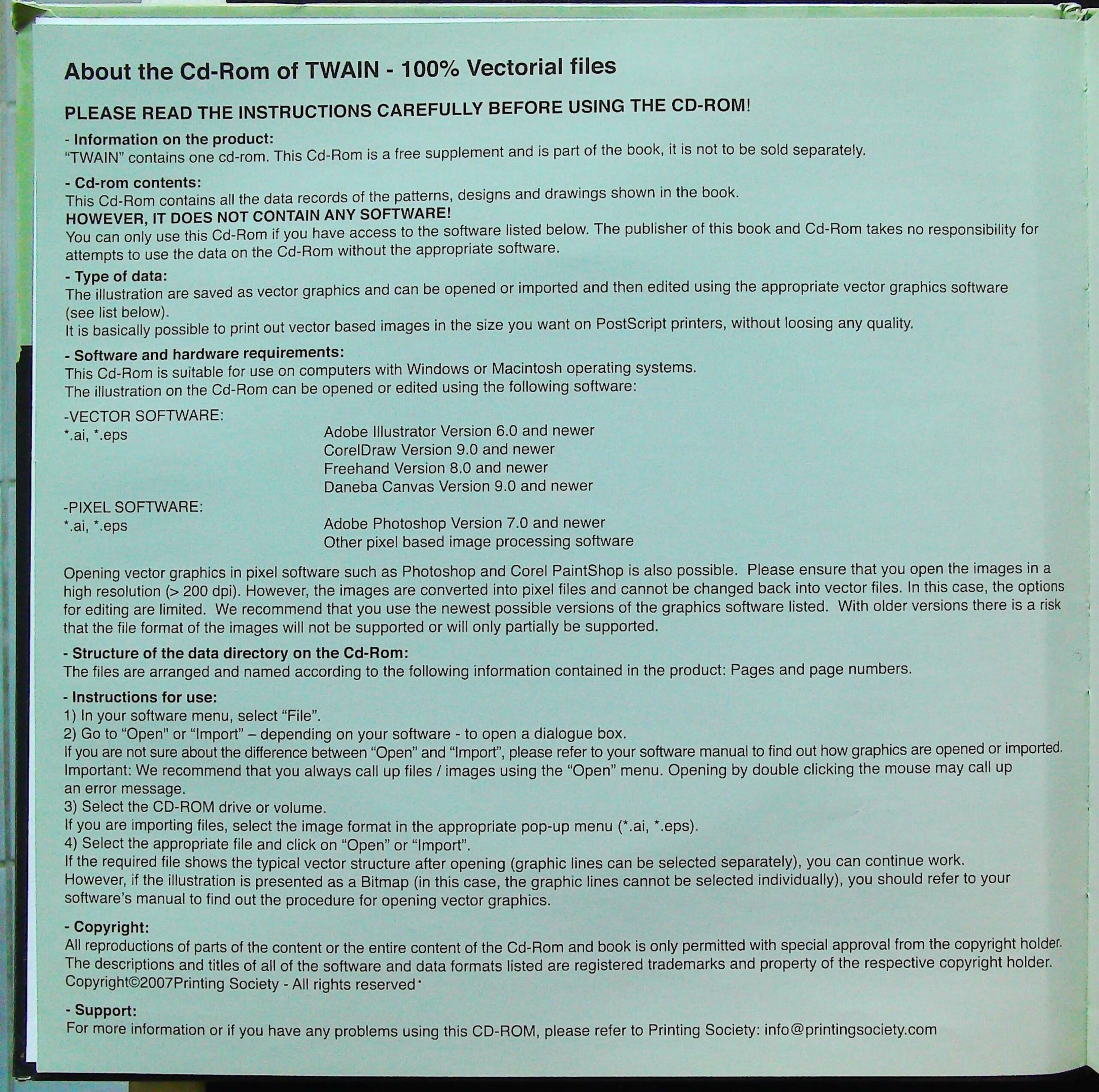
Version Anglaise
**About the Cd-Rom of TWAIN – 100% Vectorial files**
**PLEASE READ THE INSTRUCTIONS CAREFULLY BEFORE USING THE CD-ROM!**
– **Information on the product:**
“TWAIN” contains one cd-rom. This Cd-Rom is a free supplement and is part of the book, it is not to be sold separately.
– **Cd-rom contents:**
This Cd-Rom contains all the data records of the patterns, designs and drawings shown in the book.
**HOWEVER, IT DOES NOT CONTAIN ANY SOFTWARE!**
You can only use this Cd-Rom if you have access to the software listed below. The publisher of this book and Cd-Rom takes no responsibility for attempts to use the data on the Cd-Rom without the appropriate software.
– **Type of data:**
The illustration are saved as vector graphics and can be opened or imported and then edited using the appropriate vector graphics software (see list below).
It is basically possible to print out vector based images in the size you want on PostScript printers, without loosing any quality.
– **Software and hardware requirements:**
This Cd-Rom is suitable for use on computers with Windows or Macintosh operating systems.
The illustration on the Cd-Rom can be opened or edited using the following software:
**-VECTOR SOFTWARE:**
*.ai, *.eps
Adobe Illustrator Version 6.0 and newer
CorelDraw Version 9.0 and newer
Freehand Version 8.0 and newer
Daneba Canvas Version 9.0 and newer
**-PIXEL SOFTWARE:**
*.ai, *.eps
Adobe Photoshop Version 7.0 and newer
Other pixel based image processing software
Opening vector graphics in pixel software such as Photoshop and Corel PaintShop is also possible. Please ensure that you open the images in a high resolution (> 200 dpi). However, the images are converted into pixel files and cannot be changed back into vector files. In this case, the options for editing are limited. We recommend that you use the newest possible versions of the graphics software listed. With older versions there is a risk that the file format of the images will not be supported or will only partially be supported.
– **Structure of the data directory on the Cd-Rom:**
The files are arranged and named according to the following information contained in the product: Pages and page numbers.
– **Instructions for use:**
1) In your software menu, select “File”.
2) Go to “Open” or “Import” – depending on your software – to open a dialogue box.
If you are not sure about the difference between “Open” and “Import”, please refer to your software manual to find out how graphics are opened or imported.
Important: We recommend that you always call up files / images using the “Open” menu. Opening by double clicking the mouse may call up an error message.
3) Select the CD-ROM drive or volume.
If you are importing files, select the image format in the appropriate pop-up menu (*.ai, *.eps).
4) Select the appropriate file and click on “Open” or “Import”.
If the required file shows the typical vector structure after opening (graphic lines can be selected separately), you can continue work.
However, if the illustration is presented as a Bitmap (in this case, the graphic lines cannot be selected individually), you should refer to your software’s manual to find out the procedure for opening vector graphics.
– **Copyright:**
All reproductions of parts of the content or the entire content of the Cd-Rom and book is only permitted with special approval from the copyright holder.
The descriptions and titles of all of the software and data formats listed are registered trademarks and property of the respective copyright holder.
Copyright©2007Printing Society – All rights reserved*
– **Support:**
For more information or if you have any problems using this CD-ROM, please refer to Printing Society: info@printingsociety.com


Avis
Il n’y a pas encore d’avis.